How to Redeem Search For The Needle Codes — Step-by-Step
Where the Codes button is, how redemption works, and how to fix codes that will not go through in Search For The Needle.
FAQ
Where is the Codes button in Search For The Needle?
Are Search For The Needle codes case-sensitive?
Can I redeem codes more than once?
Redeeming codes in Search For The Needle is a one-minute job once you know where to look: the Codes button lives on the right side of the screen, and any working code you paste there pays out instantly. This page walks through the exact steps, the mistakes that make codes fail, and what to do when the game rejects one.
How do I redeem codes step by step?
Join the game, open the Codes menu on the right edge of the screen, paste your code, and confirm. The reward — Gems, and for some codes a timed boost — lands in your account the moment the game accepts it.
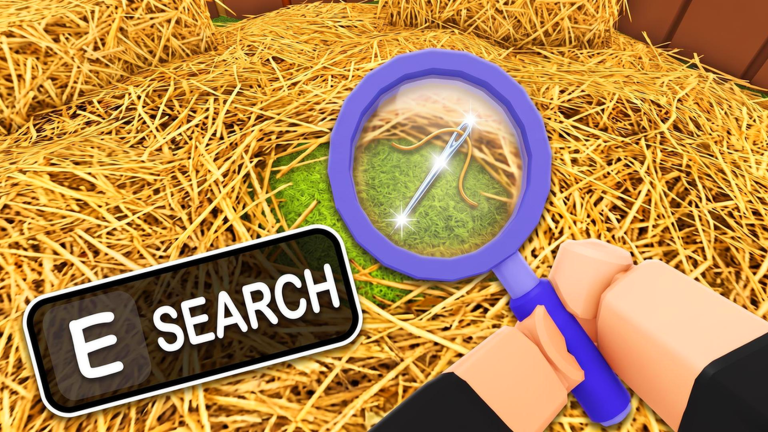
The full sequence:
- Open the game. Launch Search For The Needle from its Roblox page and wait until you have loaded into the farm.
- Find the Codes button. It is on the right side of your screen alongside the other interface buttons.
- Enter the code. Type it or paste it — exact spelling, exact capitalization.
- Confirm. Accepted codes grant their reward immediately.
Head to the codes list for every currently working code, dated and sourced.
Why is my code not working?
Nine times out of ten, a rejected code is an expired code. Search For The Needle updates frequently and its codes rotate with those updates — a code that worked last week can be dead today. Before you blame the game, rule out the two user errors: a typo, or a space that snuck in when you copied the code.
Checklist for a failed redemption:
- Spelling and capitalization — PETS, not pets or Petz.
- Stray spaces — pasting often adds a leading or trailing space; delete them.
- Already redeemed — each code works once per account, so a second attempt fails even while the code is live.
- Actually expired — if all of the above are clean, the code has retired with an update.
What do I get for redeeming codes?
Current codes pay out Gems — 120 to 200 per code — and PETS adds 30 minutes of double luck on top of its 200 Gems. Gems fund class rerolls at 40 Gems a spin, so a full sweep of the active list buys several rerolls. The Gems guide covers what else Gems are for and how to keep earning them after the codes run dry.
Do codes work on mobile and console?
The Codes button appears on every platform the game runs on, including the Roblox mobile app, because it is part of the in-game interface rather than a website. On console, where typing is slower, the Roblox quick-type keyboard makes pasting-style entry easier — codes are short enough that controller entry stays painless. The redemption process itself is identical: button, code, confirm.
When should I redeem a code?
Redeem codes the moment you find them. Search For The Needle has retired codes within weeks of adding them, and milestone codes like 2MILLIONMEMBERS are tied to celebrations that end. The one tactical choice: redeem PETS right before a long play session, so its 30 minutes of 2x Luck covers actual gameplay instead of a loading screen.
If you are starting a fresh account, sweep the codes list before anything else — early Gems make the first class rerolls free, and the beginner guide shows where to go from there.
Related Articles
chapters
Search For The Needle Chapter 1 Walkthrough — Find Your First Needle
Chapter 1 of Search For The Needle explained: search the hay, learn the tools, find the needle and beat your best time.
codes
Search For The Needle Codes (October 2026) — All Working Codes
Every working Search For The Needle code with its reward, plus how to redeem them in-game. Checked and dated October 3, 2026.
guides
How to Play Search For The Needle — Beginner's Guide
New to Search For The Needle? The search-sell-upgrade loop, the tools, classes, pets and chapters explained in one beginner-friendly guide.
Was this helpful?
Thanks for the feedback!